
You must be an NTHS Admin to change titles.
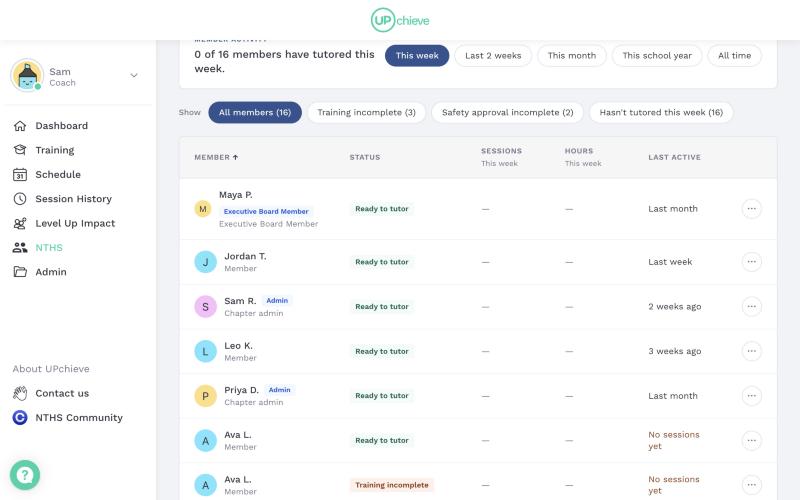
Titles show your chapter who's who. Admins can give a title to themselves or to anyone in the chapter. Titles appear next to each person's name on the Members roster.
🏷 How to Change a Title
Go to your chapter → Members tab
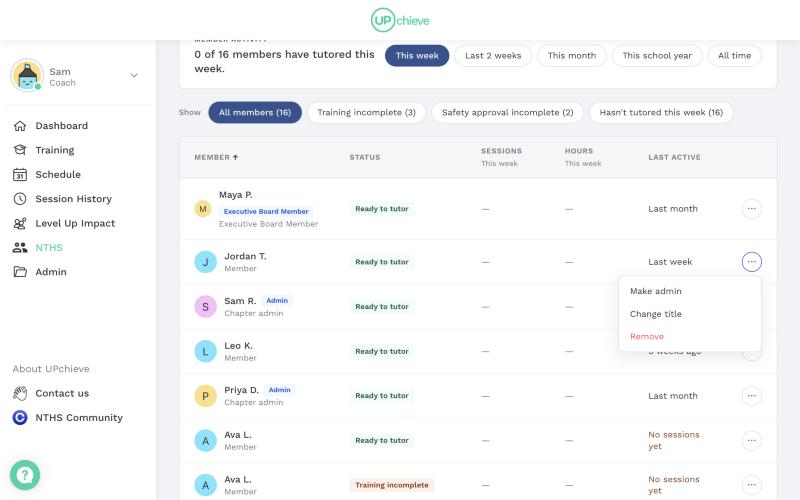
Find the person and click the ⋯ menu at the end of their row
Click Change title
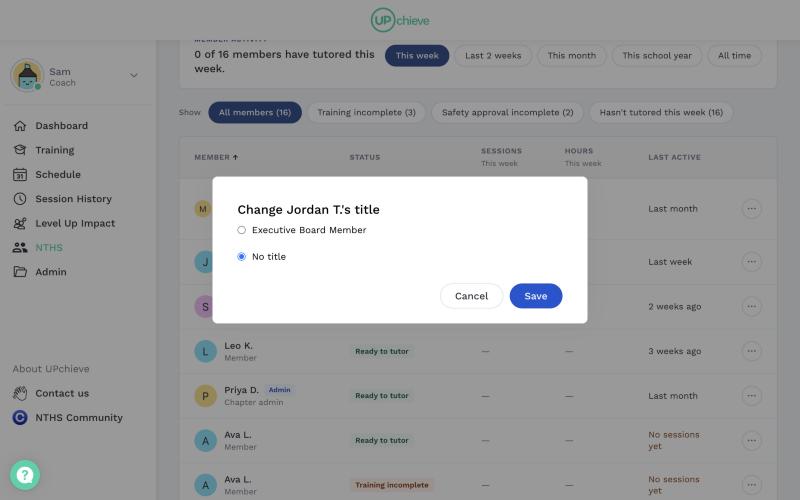
Pick a title and click Save
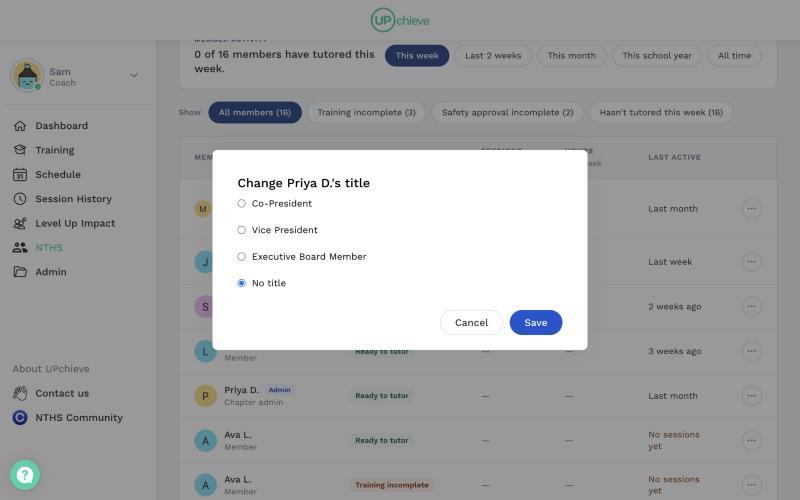
To change your own title, open the ⋯ menu on your own row. The only option there is Change title.
📋 Titles You Can Choose
President: If two people are President, both show as Co-President.
Vice President
Executive Board Member
No title
💡 Good to Know
Only admins can be President or Vice President. To give a member one of these titles, click ⋯ → Make admin. You'll pick their title in the same step.
Removing someone as admin removes their President or Vice President title. You'll be asked to confirm first.
Members can't change titles. They don't see the ⋯ menu.