Reporting a coach helps keep UPchieve safe and supportive for everyone. You should never feel uncomfortable, unsafe, or disrespected during a session. If something feels wrong, please let us know.
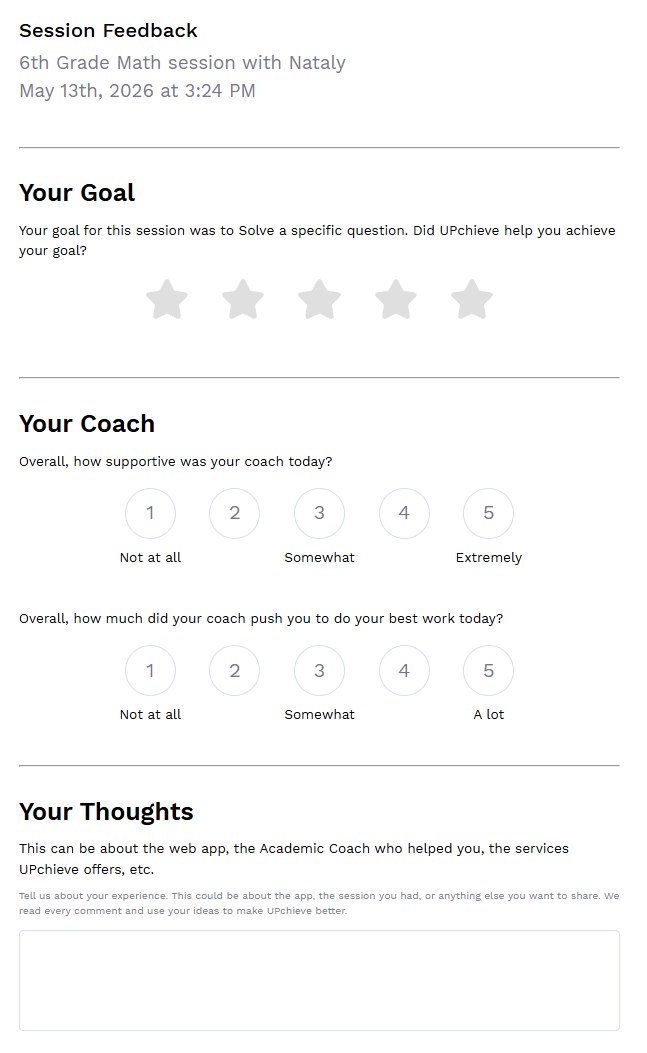
Some situations should be shared in the post-session survey, which appears right after the session ends, instead of using the reporting button.
Use the post-session survey if:
The coach was slow to respond
The coach stopped responding or left suddenly
The coach used slang or informal language
The coach didn’t know how to help with your topic
The coach would not give you the answer directly
(Coaches are not allowed to give answers. They are there to help you learn.)
You did not like the coach’s teaching style
There were technical issues during the session
During a session, click the “Report” button at the top of the session next to “End session.” Then choose the reason that best matches what happened:
Choose this if a coach asks you to talk somewhere outside of UPchieve, such as:
Zoom
Google Meet
Social Media
Discord
Texting or phone calls
Choose this if a coach:
Harasses or threatens you
Keeps asking personal questions after you said no
Says something that makes you feel unsafe or uncomfortable
Examples:
Asking for your school name or address
Repeatedly asking for your age, social media, or phone number
Making threatening comments
Refusing to stop after you say you are uncomfortable
Choose this if the coach:
Uses rude, hateful, sexual, or explicit language
Shares inappropriate jokes or comments
Uses insults or slurs
Choose this if the coach talks about topics that are not appropriate for tutoring.
Examples:
Sexual topics
Violent or graphic topics
Hate speech
Drugs or illegal activity
Repeated offensive jokes
Sharing explicit images or links
After reporting the coach, please end the session.
The UPchieve staff is alerted about your report and will investigate within 24 business hours.
