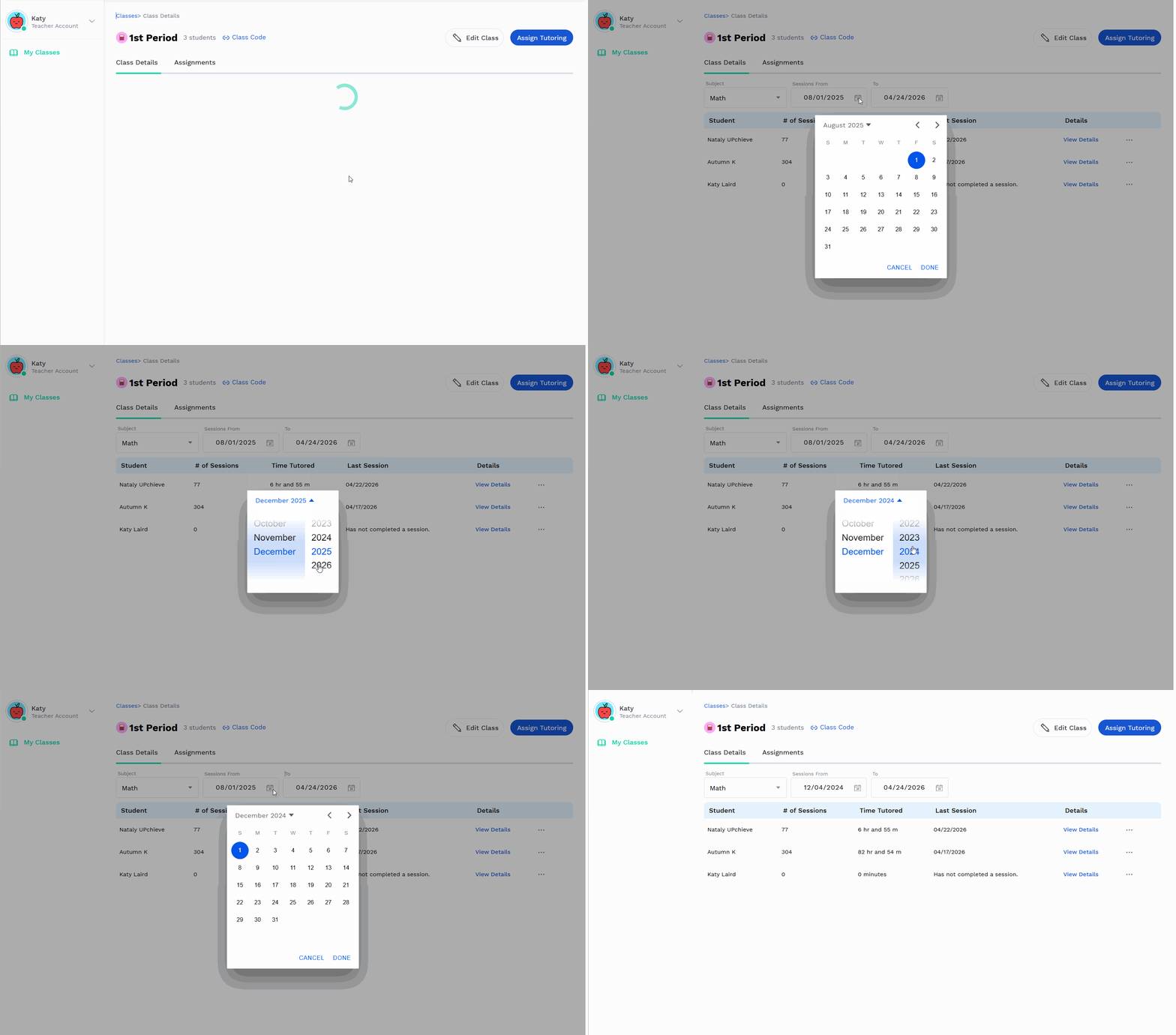
Find the class the student is in and click on it
Go to the Class Details tab and search for the student’s name
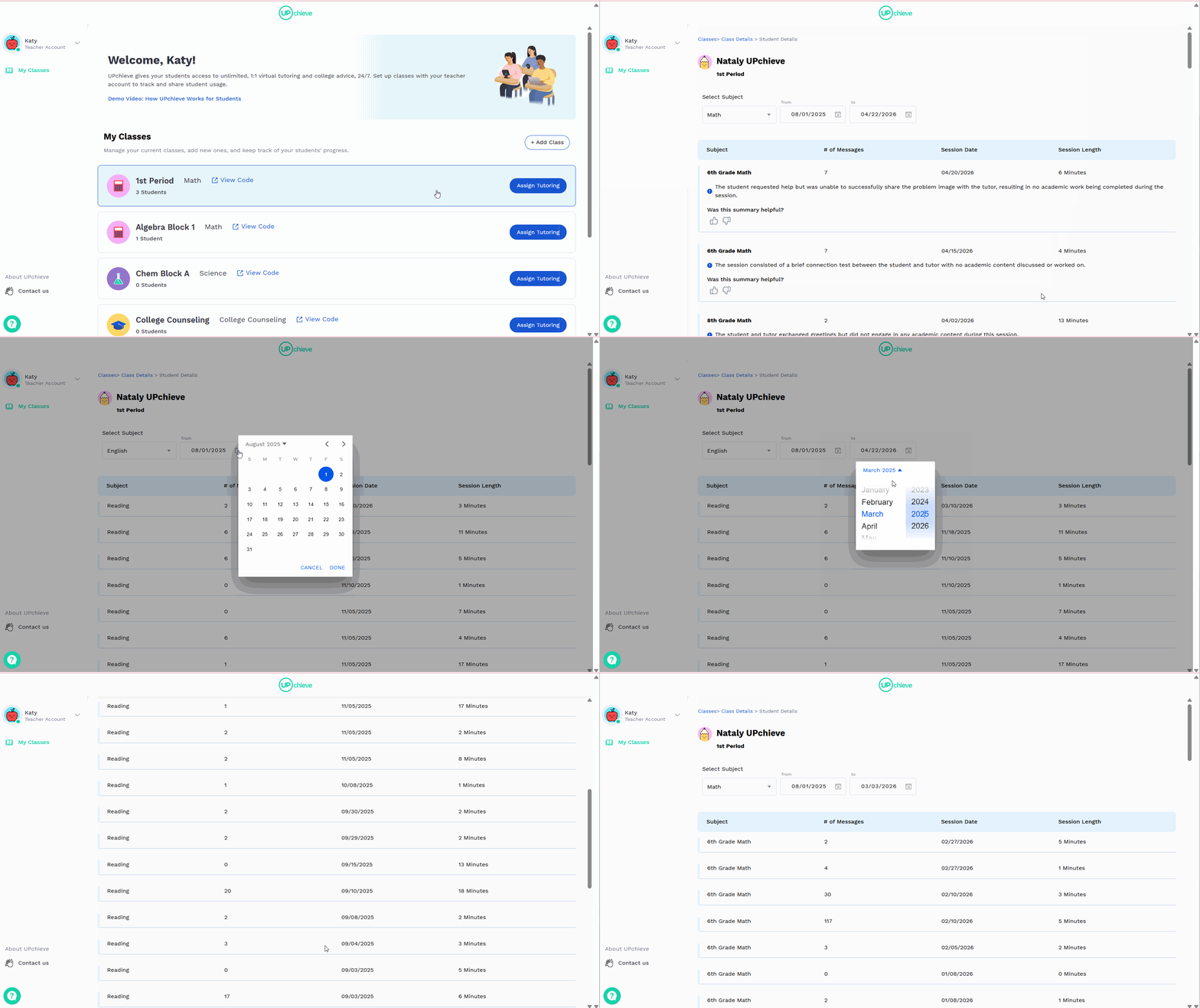
In the Details column, find the row with the student’s name and click View Details
From here, you can see:
Tutoring sessions requested, broken down by subject
Session date and time
Session duration
Number of chat messages sent (note: 0 messages may indicate voice chat was used, where messages are transcribed instead of typed)
A one-sentence summary of each session
You can also filter results by subject and date range for easier tracking
How to change the date range when viewing student usage
By default, student usage is set to show sessions from August 1, 2025 through today.
To update the date range:
Click the calendar icon next to the start date.
Select the desired month and year.
Click outside the calendar to confirm.
Click the calendar icon again, then choose the specific day.
Click Done.
Repeat the same steps to update the end date.