
Locate the class you want to update and click on it
Select Edit Class
Update the class name and choose the correct subject(s)
Click Save Changes
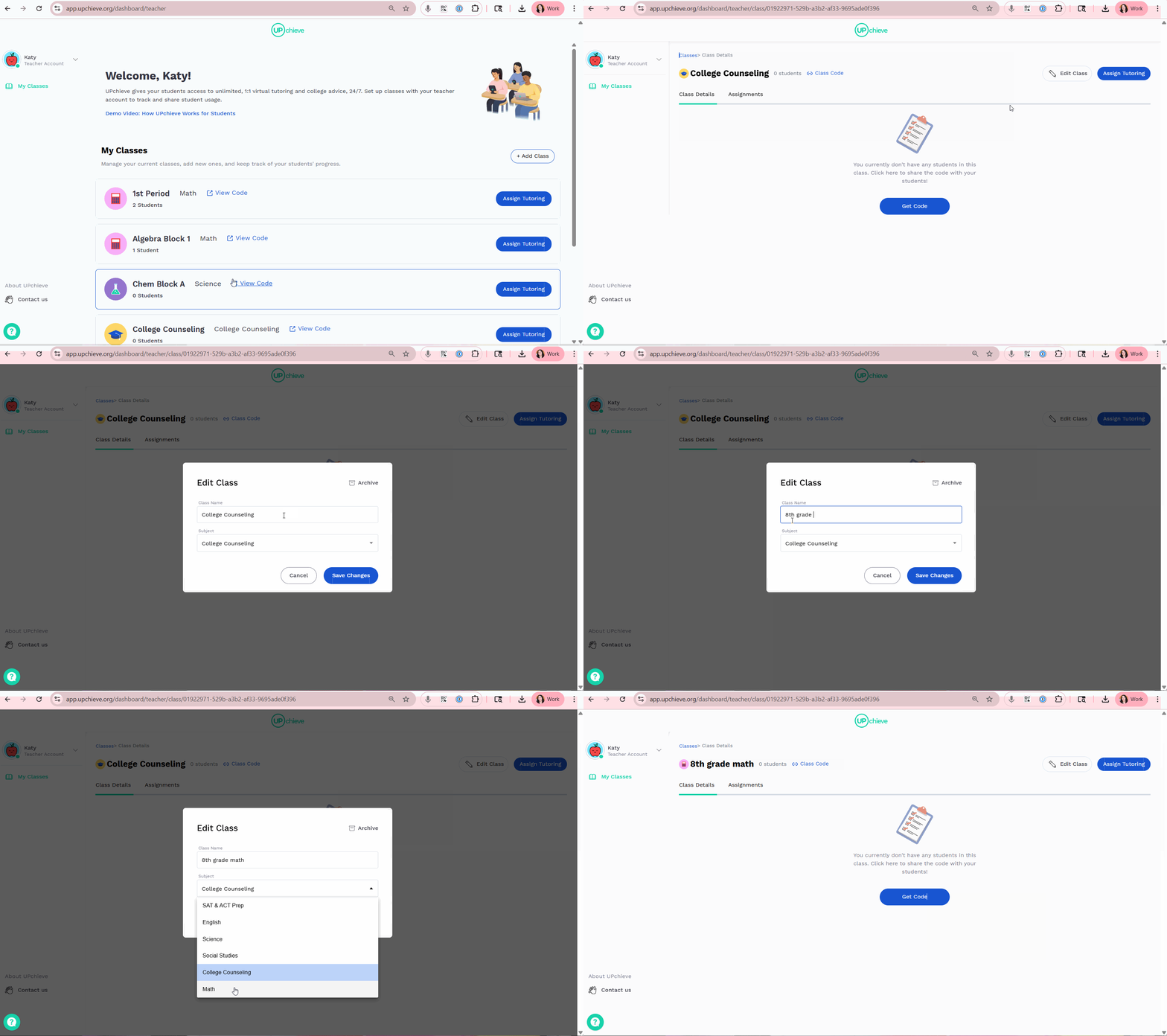
Locate the class you want to update and click on it
Select Edit Class
Update the class name and choose the correct subject(s)
Click Save Changes