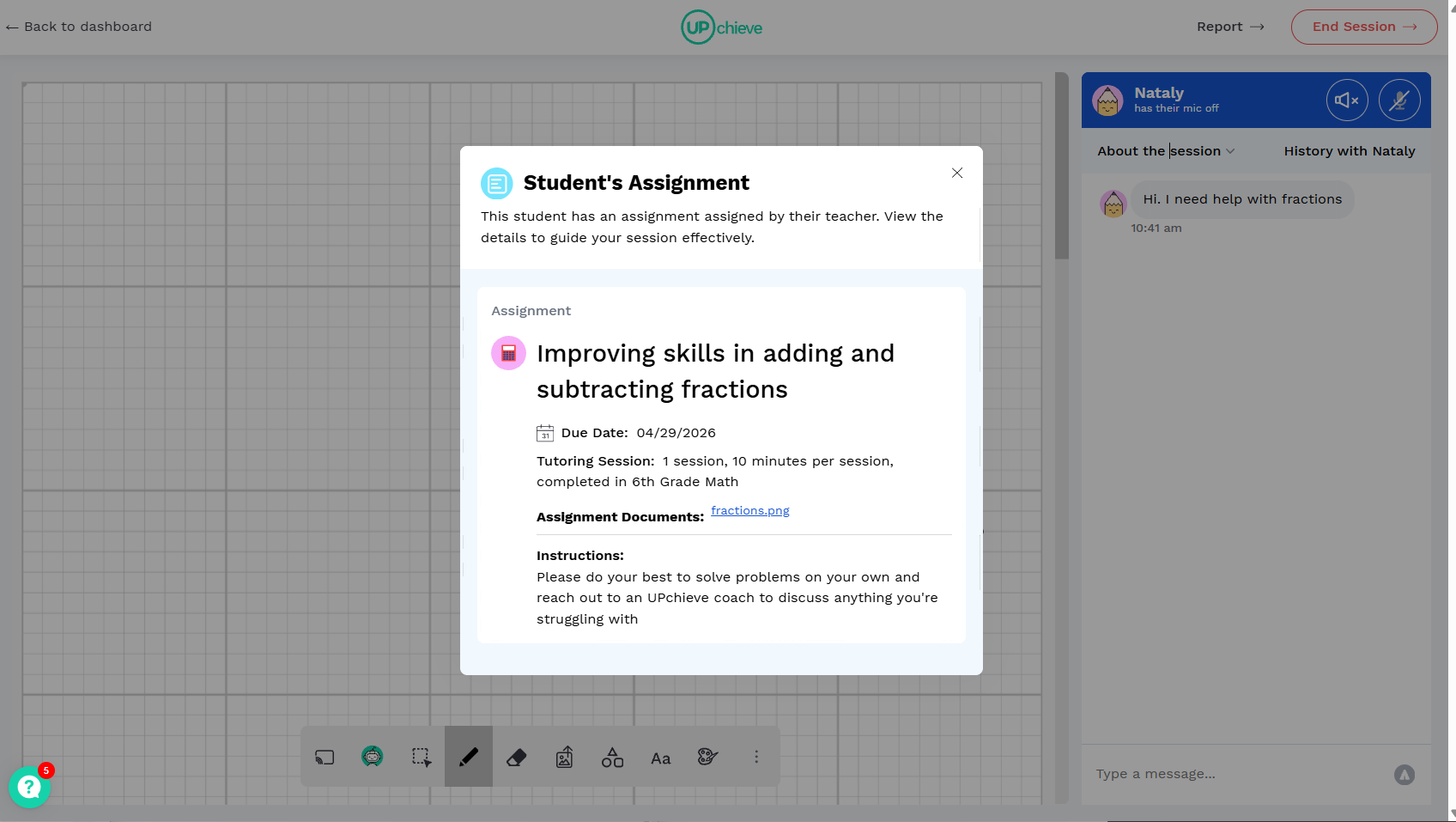
Why create an assignment?
Creating assignments helps you direct the topics and assignments students and tutors work on together, as well as provide more context that may be helpful to tutors.. When you assign tutoring, you can clearly communicate the specific skills students should focus on during their sessions. Tutors also see your assignment instructions, which allows them to tailor each session to the targeted skills you’ve identified.
How to create an assignment
Navigate to the class and select ‘Assign Tutoring’
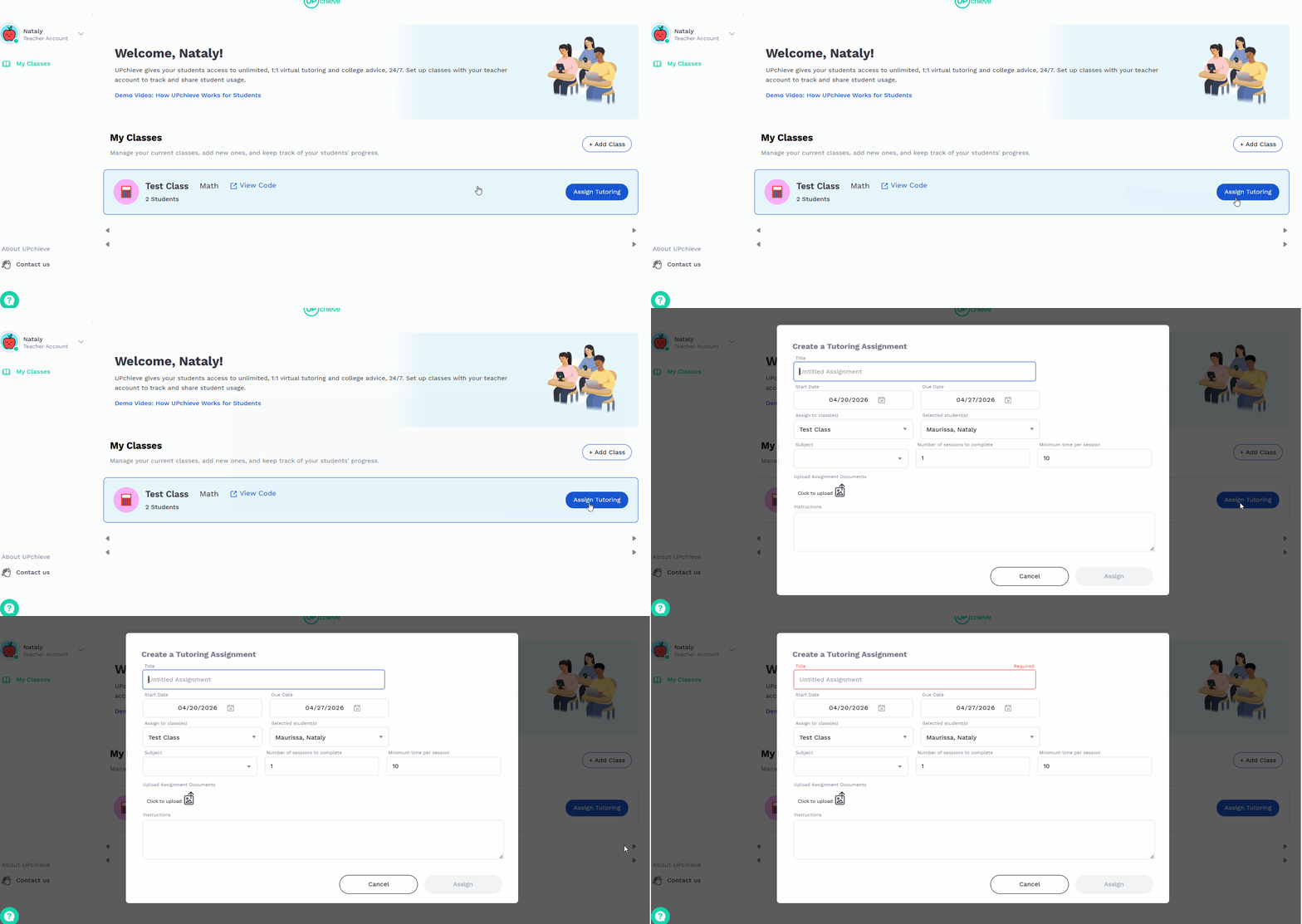
Fill out the required fields and select the class(es) or specific students (great for differentiation!) for the assignment.
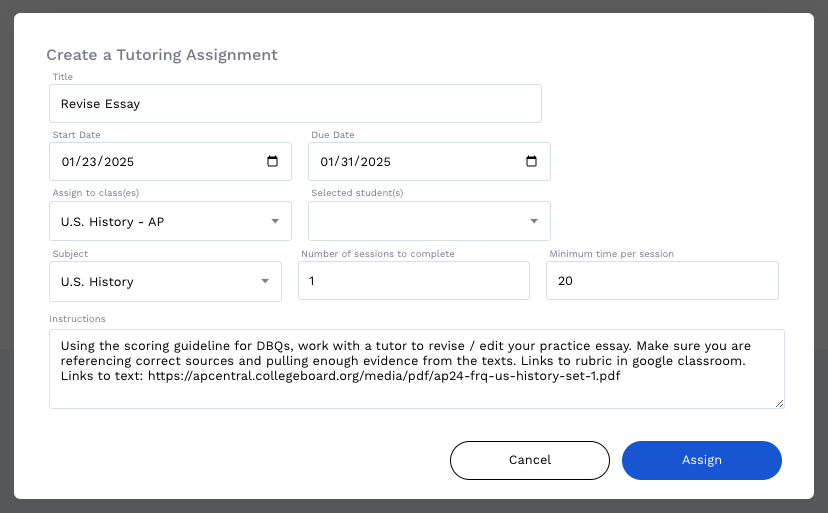
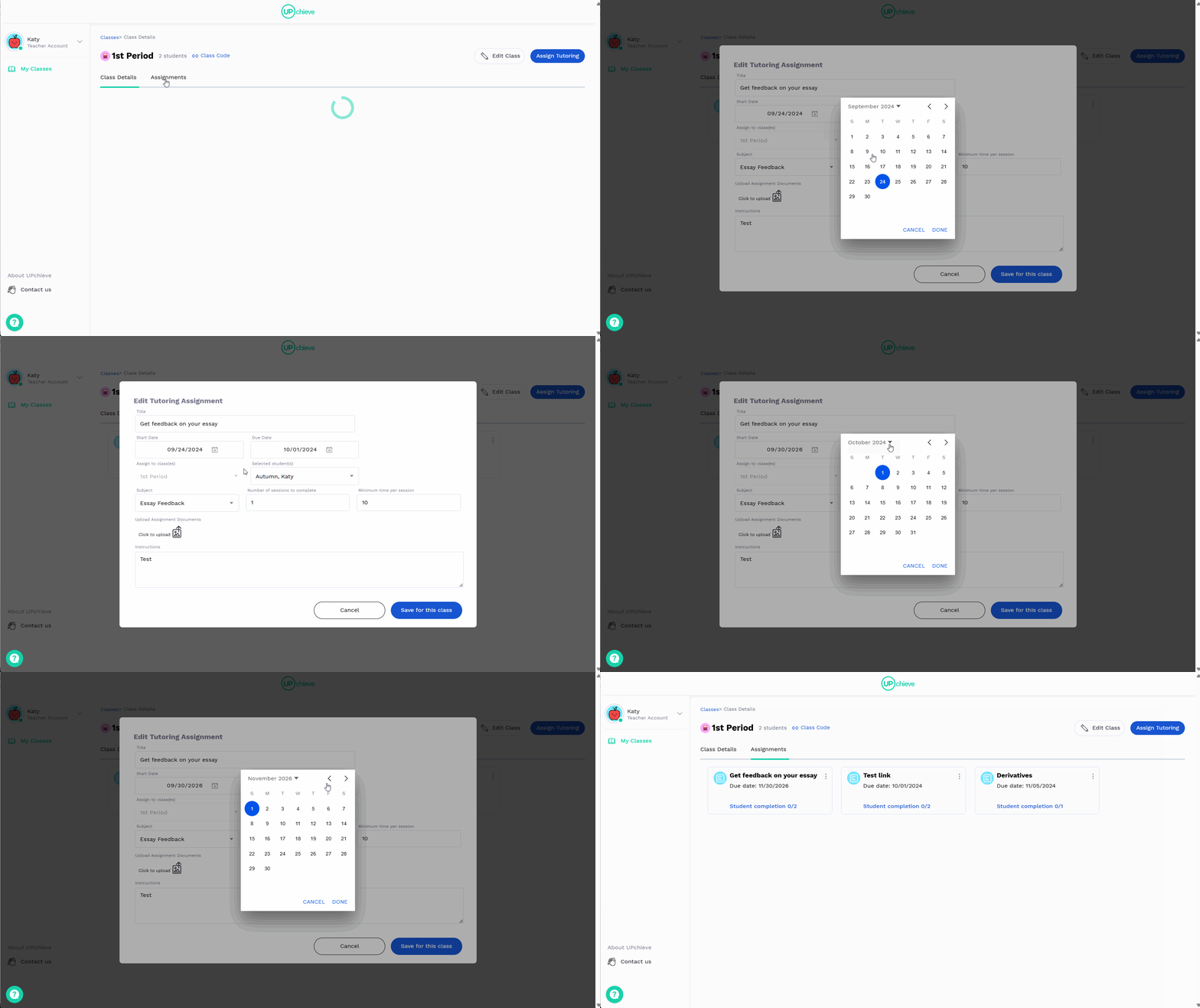
How to update the start and end date
Find the class you want to update and click on it
Go to the Assignments tab
Click the vertical three dots (⋮) next to the assignment you want to edit, then select Edit
Update the start date and/or due date as needed
Click Save for this class
What volunteers see during tutoring sessions
When a volunteer accepts a student’s request with tutoring assigned, they can view the instructions you provided along with any images you uploaded.
For example: