
If you’ve created a teacher account on UPchieve, you can share your class with your students and assign work. You can also track the tutoring they’ve received: how long, when, what subjects, and summaries of sessions are available.
Here are the steps to invite them to your UPchieve class:
Share the UPchieve sign-up link with your students. To find your class link, go to “My Classes,” click on your class code, and copy the link.
Pro-tip , add the link to your classroom page in google or canvas!
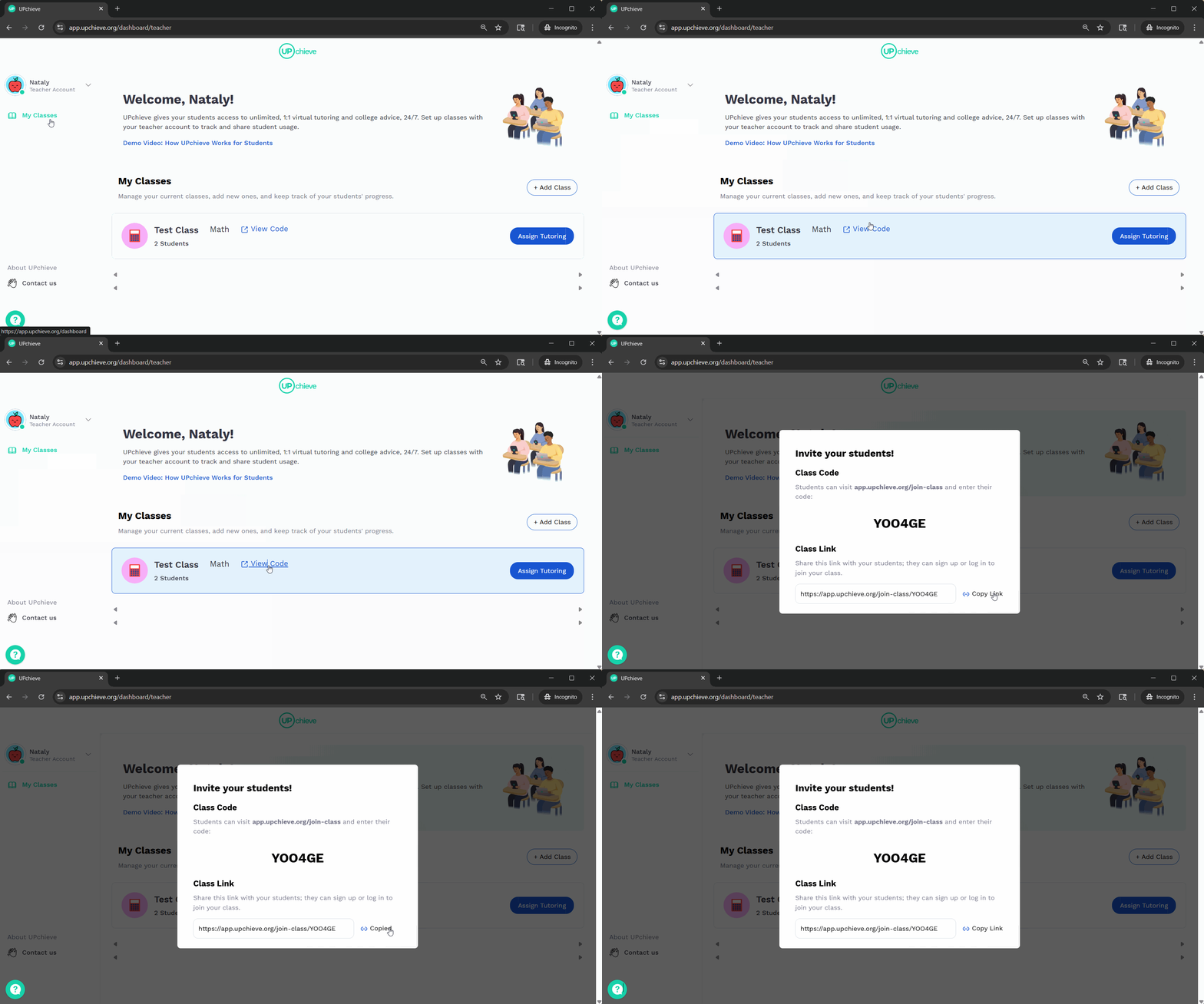
Share the link with students and have them enter their school email address and grade.
Note:
If the student doesn’t have an account, they’ll be prompted to sign up.
If a student already has an UPchieve account, they will be prompted to sign in and will see a confirmation message saying they’ve joined a class. They can then view your class in the “My Classes” tab.
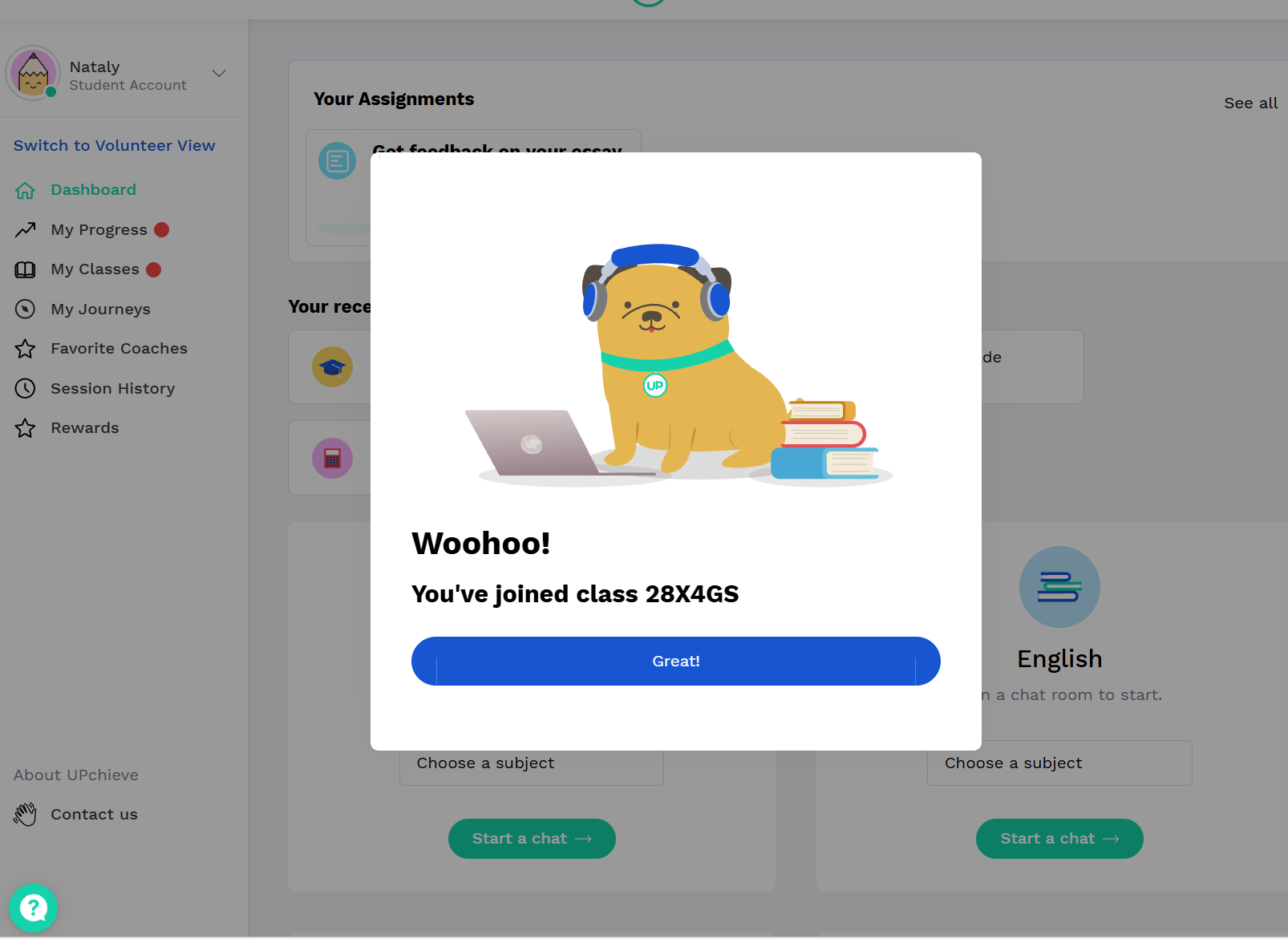
If they are already signed in, they will be taken directly to their account homepage (dashboard).