If you’re an educator at a Title 1 school, we highly encourage you to create a teacher account to track student usage.
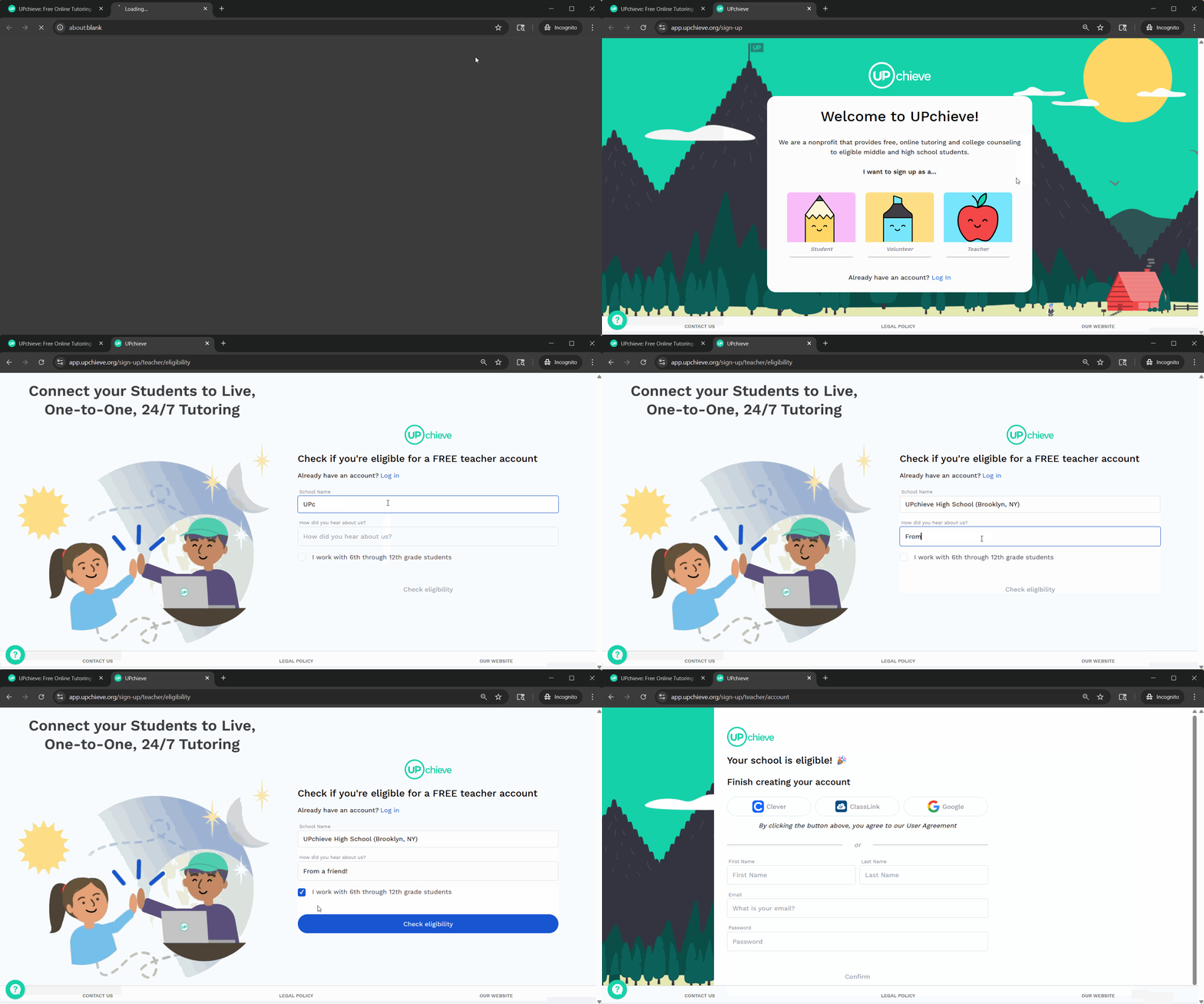
Follow these steps to create a teacher account:
Go to https://upchieve.org/, click Sign Up and select Teacher
OR Visit the teacher sign-up page: https://app.upchieve.org/sign-up/teacher/eligibility
Enter your school name and how you heard about us
Check the box confirming that you work with 6th through 12th grade students
If eligible, enter your first and last name, email and password to finish creating your account. Alternatively, create your account using Google SSO. If you work at a partner school that uses Clever, you can login directly with your Clever account.