

📛 Rename Your Chapter
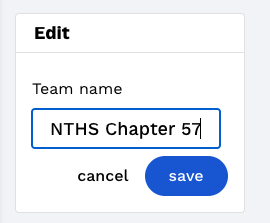
Go to NTHS Team → Settings tab
Click Edit
Rename Your Chapter
Save
🎛 Manage Members
What users can view or edit depends on their NTHS Role.
Admins
Admins can view all data and edit members. These are usually Presidents, Co-Presidents, VPs, etc. Admins can:
View Dashboard & Invite Link
Edit Chapter Name
Edit Member Roles
Remove Members
Members
Members can only view the dashboard and use the invite link.
View Dashboard & Invite Link
How to Manage Member Roles
Go to NTHS Team → Manage Team tab
Click the dropdown to edit the Member’s role
This update saves automatically
How to Remove a Member from Your Chapter
Removing a member from your chapter will remove them from your NTHS Dashboard, including any contributions they’ve made towards your chapter’s official status.
Go to NTHS Team → Manage Team tab
Click Remove from Team
Click Remove [member] from team to confirm