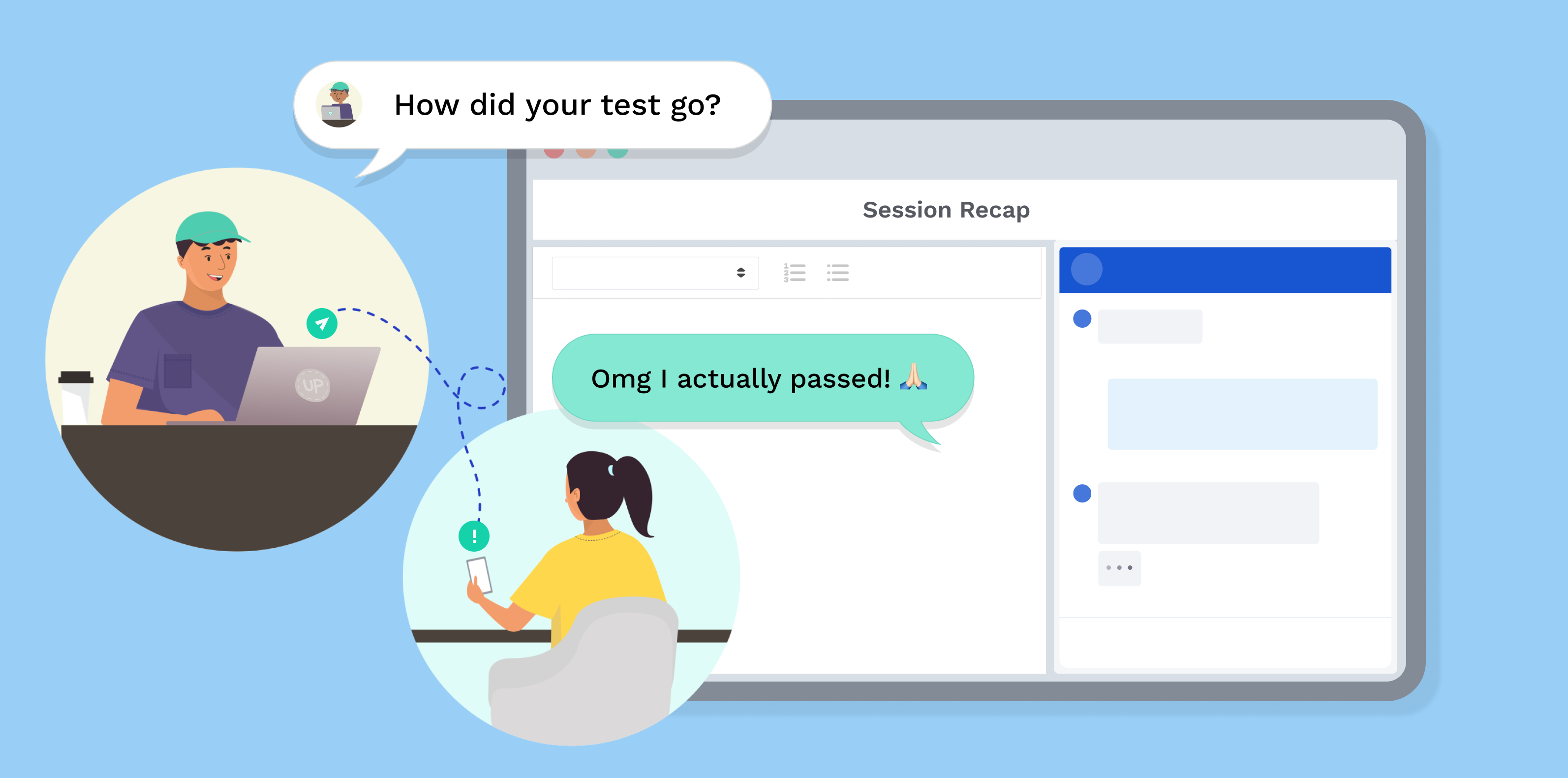
After a tutoring session, you and your Coach can send each other direct messages (DMs) on UPchieve!
💬 Who Can Send Messages?
Both students and Coaches can start a conversation after a session.
🛡 Safety First
Messages are reviewed regularly to help keep UPchieve a safe and respectful place for everyone.
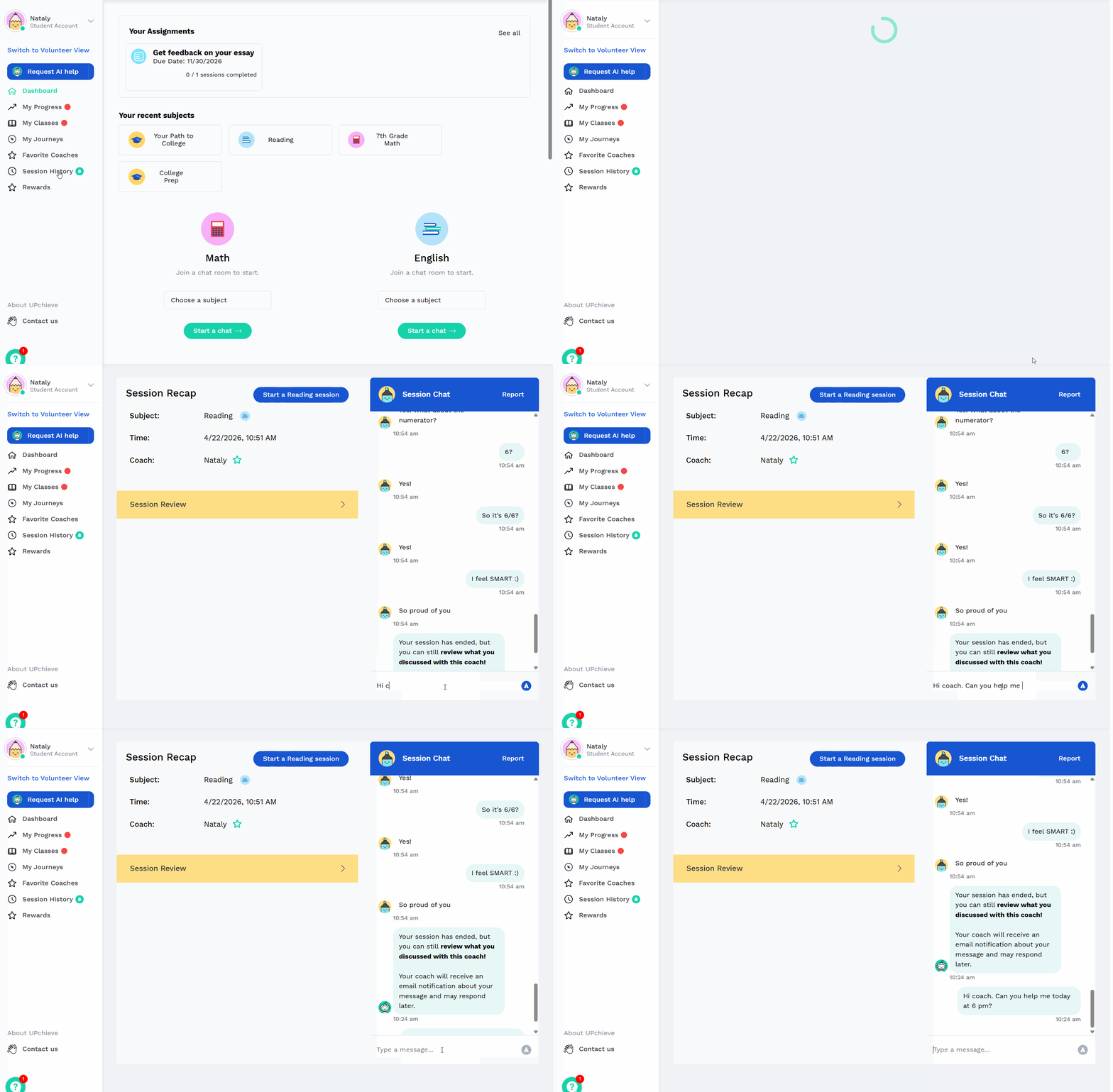
After your session, go to Session History
Find the session and coach you want to message, then click Session Recap
At the bottom of Session Chat, type your message
Your Coach will be notified that you've sent a message.
When your Coach replies, you'll see a notification next to Session History and may receive an email notification. You can also filter Session History to show only sessions with unread messages, making it easy to find new conversations.
Continue the conversation through the chat as needed.
After your session, your Coach may send you a message with helpful tips, resources, or encouragement.
You'll see a notification next to Session History and may receive an email notification (although some schools block our emails). You can also filter Session History to show only sessions with unread messages, making it easy to find new conversations.
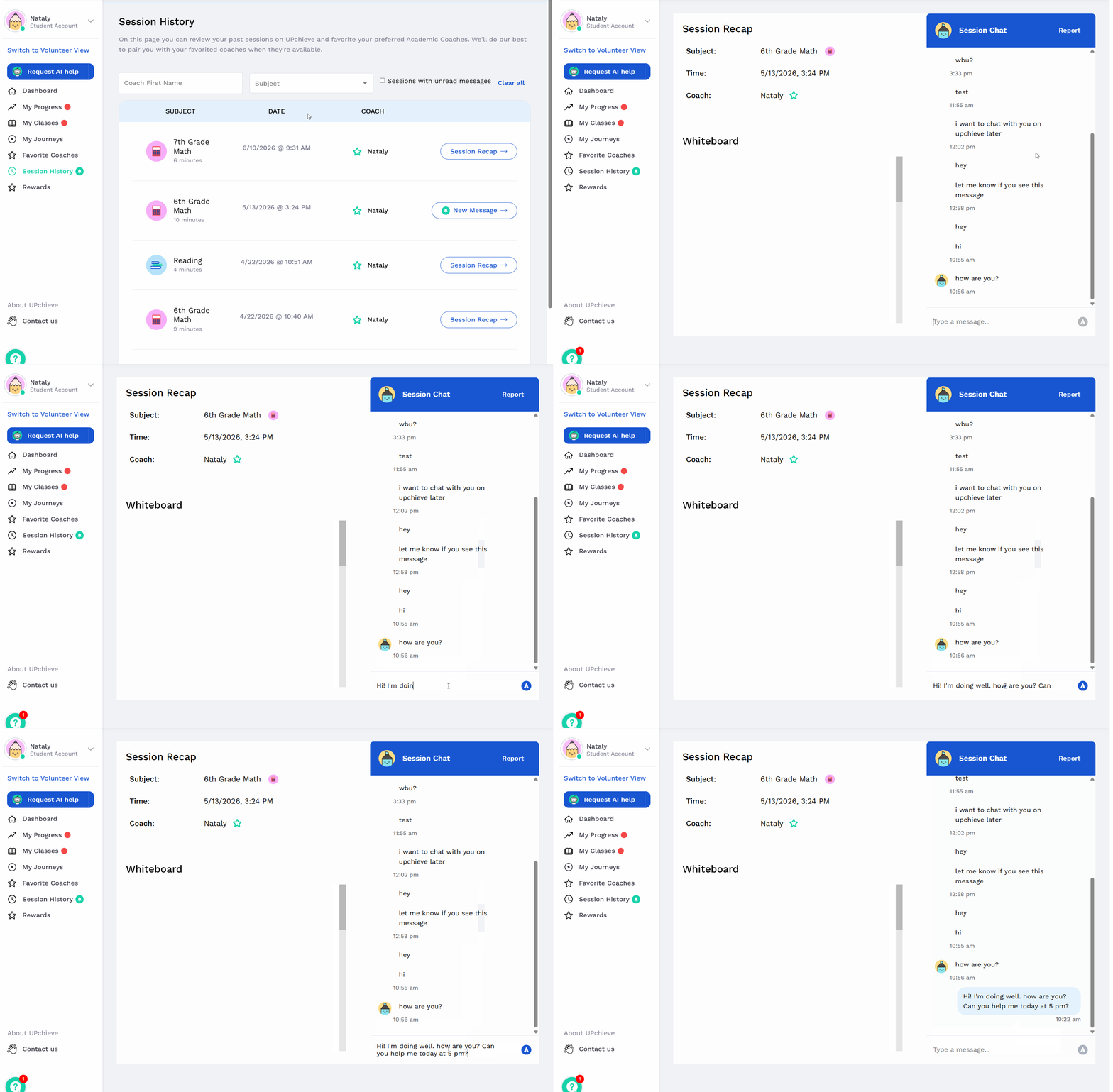
Open Session History and select the session.
Read the message in the chat and reply if you'd like.
Your Coach will be notified when you respond.
Your coach can share study materials, websites, and other learning resources.
Receive support, motivation, and helpful feedback from your coach.
Let your coach know how a test, quiz, or homework assignment went.
Receive practice problems and extra learning activities.
You can also use DMs to plan a time to meet again.
Here’s how:
Message your coach to agree on a time
At that time, log in and request a new session
If a different coach joins instead, you can say:
“Thanks for picking up my request. I’m waiting for another coach who agreed to help me at this time. Could you please end the session?”
Then submit a new request.
Both students and Coaches can send messages after a session.
If your session lasted more than 1 minute, you can send and receive messages.
Please note, some schools we partner with may request DMs to be deactivated for all students and in that case you won’t be able to send DMs. Contact [email protected] with any questions
Quick questions
Updates
Resources
Follow-ups
Step-by-step help
Hard problems
Longer explanations
