
AI Usage Policy for Coaches
UPchieve’s policy on the responsible use of AI within tutoring sessions and for student learning.
UPbot is an AI assistant that can appear in your tutoring sessions. It's designed to support both you and your student during sessions, acting as a helpful (if sometimes overeager) teaching aide.
Creating practice problems
Explaining basic concepts
Checking approaches or answers
Supporting you when you need a quick refresh on a topic
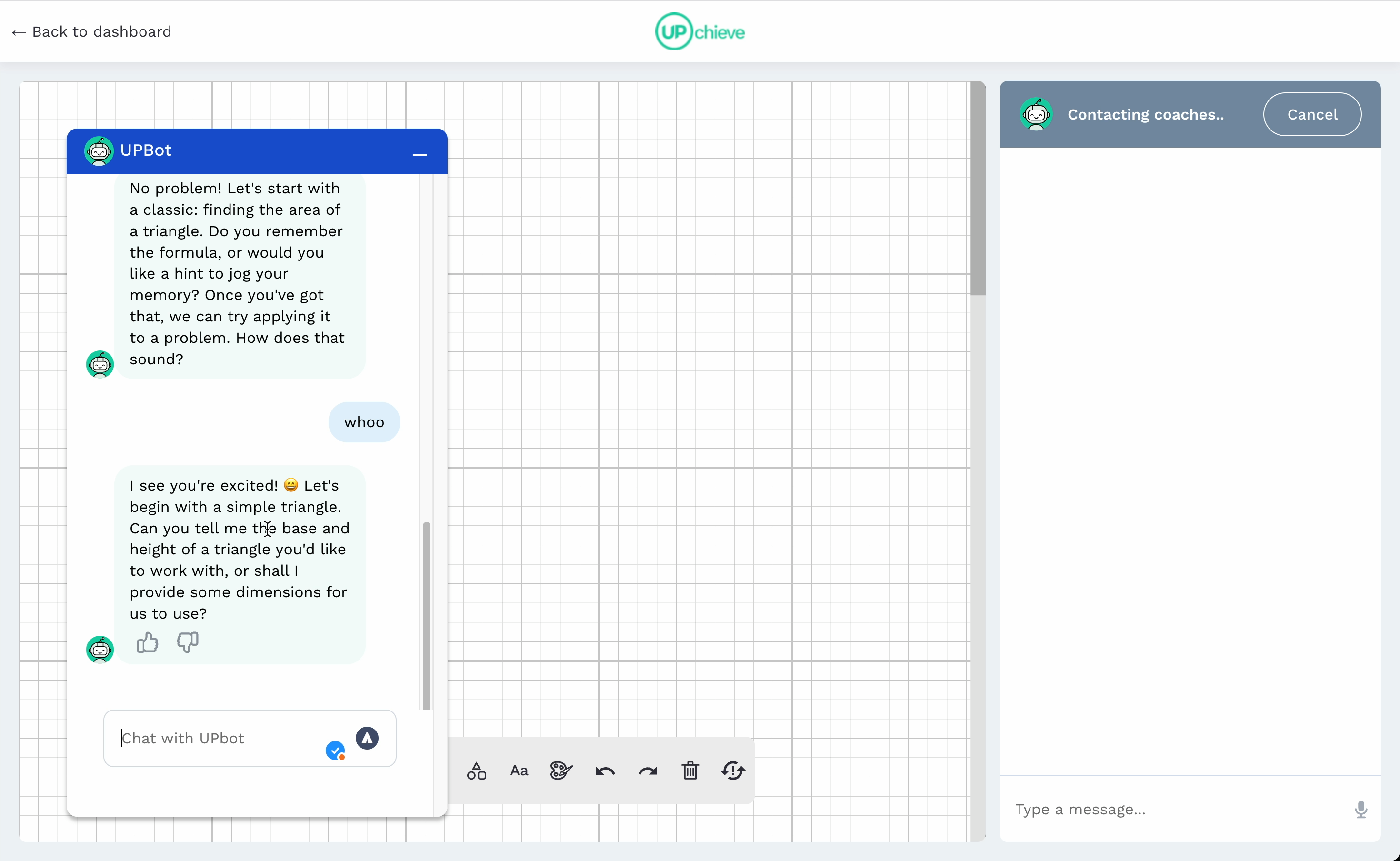
UPbot is a shared AI tool that both you and your student can use during sessions. All responses are visible to both you and your student
It's completely optional - you don't have to use it
Look for the UPbot icon in the toolbar during your tutoring session
Click it. This will share an UPbot thread both you and your student can use.
Study together with your student and UPbot
Be clear about what you need help with
If UPbot says something confusing, don't be shy: ask UPbot to explain it again and better
Tell UPbot if things are too easy or too hard
Feel free to correct UPbot if it makes mistakes (it will!). Use it as a supplementary tool, not a replacement for real tutoring.
Avoid asking for direct answers or writing help. UPbot will try to guide students to learn step by step when used this way, but it’s better to use it as an aide for a tutor, not a tutor itself. Multiple studies showing using AI this particular way makes students feel like they've learned something, but in reality they've learned less than if they hadn't used AI.
If a student does use the AI to get answers or the AI mistakenly gives an answer, never fear! Bake that into your session and use it as an opportunity to try some new pedagogical approaches.
Pedagogical approaches to use with UPbot
Here are some ideas on AI-complementary tutor moves.
Use it when it makes sense for the situation. Your expertise and judgment are most important. While you can't remove UPbot from sessions where students have access, you're not required to use it.
No! UPbot is an extra tool. In fact, we believe you are what can make AI actually useful.
Yes! UPbot is AI, and like all AI it makes mistakes. Always check its answers.
Any subject you can get help with on UPchieve!
Guide students to use UPbot for learning concepts and practice, not for direct answers or writing content.
Remember: This is new technology. We're still learning how UPbot fits into tutoring sessions. Please share your experiences and suggestions through the usual feedback channels!
